Superscript Discord Generator: Enhance Your Server Messages
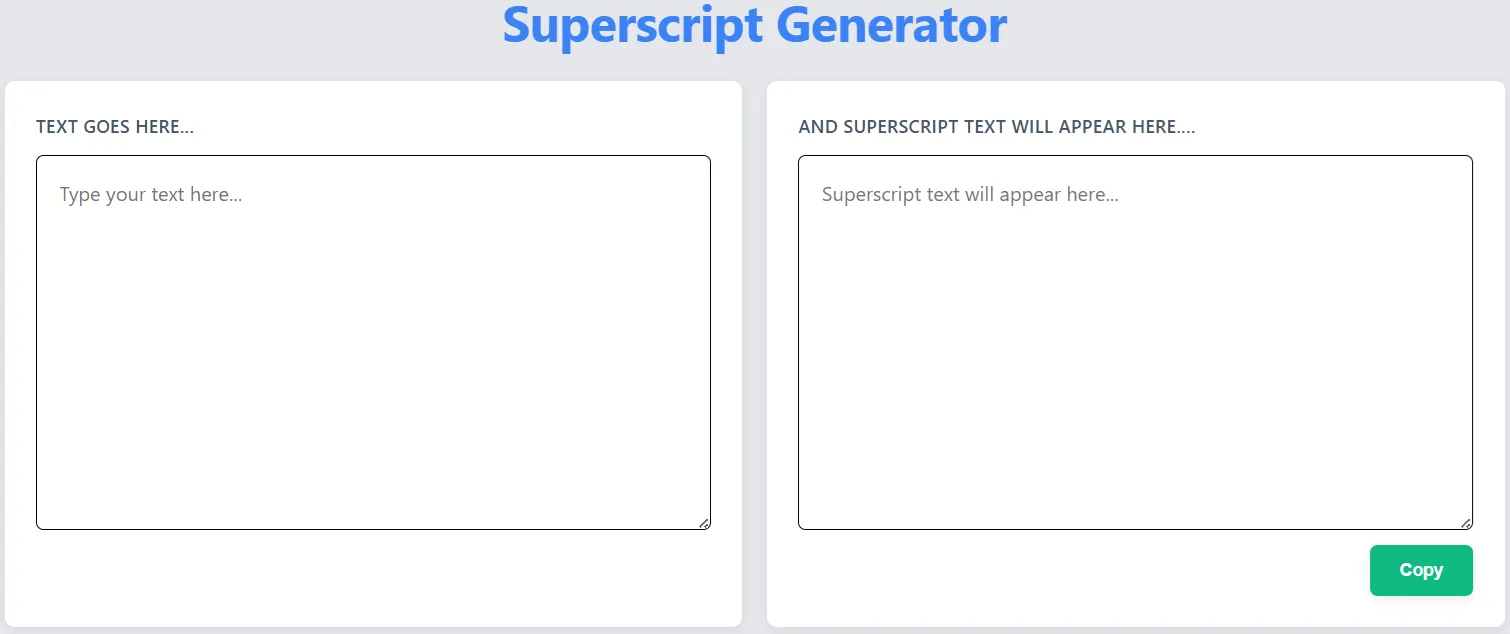
Discord has become the ultimate hub for all kinds of communities - from gamers and book clubs to professional networks. With millions of servers and billions of messages flying around every day, it can be tough to stand out. That's where our superscript Discord generator comes in! It's a fun, powerful tool that helps you create unique identities, organize your server, and make your messages pop.
How to Use Superscript Across Your Discord Server
One of Discord's best features is how customizable it is. Servers can have hundreds of channels, tons of roles, and thousands of members. Superscript text can make every part of your server look more awesome:
- **Server Names:** Make your server pop in the Discord directory
- **Channel Names:** Organize your channels with style
- **Role Names:** Create cool roles that members will be proud to show off
- **Messages:** Make your announcements and conversations hard to miss
Server Name Optimization: Attracting More Members
Your server name is the first impression potential members get. A well-chosen name with strategic superscript can make your server more attractive. For example:
- 🎮 GameMaster² - A gaming server focused on strategy games
- 📚 BookClubₓ - A book discussion group with extra resources
- 💼 ProNetwork₄₀ - A professional networking server for mid-career professionals
These names are memorable, descriptive, and visually interesting - all qualities that can help your server grow.
Username Creativity: Stand Out from Other Users
With millions of Discord users, finding a unique username can be tough. Superscript text can help you create a one-of-a-kind identity:
- **Gamers:** Use superscript to reference your favorite games (e.g., Player₁₀₀₁ for sci-fi fans)
- **Creators:** Add superscript related to your craft (e.g., Artistₓ for digital artists)
- **Community Leaders:** Use superscript to denote your role (e.g., Admin² for server administrators)
Message Enhancement: Making Your Voice Heard
In busy servers, important messages can get lost in the shuffle. Superscript text can help your messages stand out:
- **Announcements:** "📢 NEW RULES: Please read the #rules channel¹"
- **Event Reminders:** "🎉 Event starts in 1 hour! Don't forget to RSVP₂"
- **Help Requests:** "❓ Need assistance with the bot? Tag @Modsₓ"
Emoji Combinations: Superscript and Emojis Together
One of Discord's most loved features is its extensive emoji support. Combine emojis with superscript text for even more creative effects:
- 🚀 Launch₁₀₀ - For a product launch or milestone
- 🎂 Birthday₁₈ - For age-related announcements
- 🏆 Winner₂₀₂₄ - For competition results
Discord Bots: Automating Superscript Text
Discord bots can take your superscript game to the next level. Many popular bots support superscript text in their commands and responses. For example:
- **Moderation Bots:** Use superscript in warning messages (e.g., "⚠️ Warning₁: Please stop spamming")
- **Music Bots:** Display song information with superscript (e.g., "🎵 Now Playing: SongTitle² by Artist")
- **Custom Bots:** Create your own bot that generates superscript text on command
Community Management: Organizing with Superscript
Superscript text can be a powerful organizational tool for server managers:
- **Categorize Channels:** Use superscript to group related channels (e.g., #general₁, #offtopic₁ for main channels)
- **Rank Roles:** Create a visual hierarchy with superscript (e.g., Member₁, Member₂, Member₃ for activity levels)
- **Highlight Important Info:** Use superscript in pinned messages to draw attention
Case Study: Successful Discord Communities Using Superscript
Let's look at two servers that have effectively used superscript text:
- CodeMasterₓ: A programming community that uses superscript to categorize channels by difficulty level (#beginner₁, #intermediate₂, #advanced₃). Their server has grown from 500 to 5,000 members in just 6 months.
- MusicLovers²: A music discussion server that uses superscript in role names to indicate music preferences (e.g., Rock₁, Pop₂, EDM₃). Members report feeling more connected to the community, and engagement has increased by 65%.
How to Use Our Superscript Generator for Discord
- Visit our Superscript Generator and type your text
- Select the superscript style that works best for Discord
- Copy the generated text to your clipboard
- Paste it into Discord - whether in a server name, channel, role, or message
- Preview to ensure it displays correctly (Discord supports most Unicode superscript characters)
Conclusion: Building Your Discord Brand with Superscript
Discord is more than just a chat platform - it's a place to build communities, connect with like-minded people, and create unique identities. Our superscript Discord generator can help you unlock the full potential of this platform by giving you the tools to create distinctive names, organize your server effectively, and make your messages more engaging. Whether you're a server owner, a community manager, or just a regular Discord user, superscript text can help you stand out in the crowd. Ready to elevate your Discord experience? Try our Superscript Generator today!